What Kansas City Commercial Customers Are Really Looking for in Physical Security in 2025

By David Strickland, COO of Kenton Brothers

What Kansas City Commercial Customers Are Really Looking for in Physical Security in 2025If you’ve been Googling “security system upgrade” lately or walked through the aisles of a big security trade show, you’ve probably noticed the same buzzwords popping up everywhere: hybrid cloud, AI analytics, mobile credentials, unified platforms.

It can feel like a lot. And if you’re wondering, “Am I the only one who feels stuck between old systems and all this new tech?”, you’re not. The truth is, most organizations are in that exact same boat. The good news? The industry is finally catching up to what real businesses actually need: solutions that are easy to use, flexible, and comprehensive.

And that’s where we come in. At Kenton Brothers Systems for Security, our job is to help you cut through the noise and build a system that works for you—not the other way around.

What Customers Are Asking For in 2025

  1. Security Systems That Flex With You

What Kansas City Commercial Customers Are Really Looking for in Physical Security in 2025Nobody wants to rip out everything they already own just to modernize. That’s why “hybrid cloud” is such a hot topic. It simply means you can keep some things local (on-prem or at the edge) while moving other parts to the cloud. It’s about choice, flexibility, and evolving at your own pace.

  1. Smarter, Not Just Bigger

Cameras and alarms are great—but what do you do when you’re drowning in alerts? That’s where AI and analytics come in. Smarter systems can flag what matters (like unusual behavior or trespassing) and filter out the rest, so your team spends less time chasing false alarms.

  1. One System, Not Five

It’s frustrating to juggle different logins for cameras, door access, alarms, and visitor systems. More and more, customers are looking for one unified platform where everything connects. When your access system and cameras talk to each other, life gets a whole lot easier.

  1. Simple, Easy-to-Use Tools

Security systems don’t need to be complicated. Today, people want intuitive dashboards, mobile apps, and “single pane of glass” control. Your team shouldn’t need hours of training just to unlock a door or review footage.

  1. Mobile and Touchless Access

We live on our phones. Why not let them be your keys, too? Mobile credentials and touchless access are exploding because they’re convenient, secure, and cut down on lost badges. And yes—there are still cards or fobs for people who want them.

  1. Stronger Identity Checks

In higher-security environments, companies are layering in biometrics (like facial recognition or fingerprints) and multi-factor authentication. It’s about adding assurance without adding friction.

  1. Don’t Forget the Perimeter

It’s not just about doors anymore. Parking lots, gates, and campus perimeters are getting more attention. License plate recognition cameras and smart gates make it easier to manage vehicles coming and going.

  1. Freedom From Lock-In

No one wants to be trapped with a single vendor forever. That’s why open platforms and interoperable systems are such a big deal. They let you expand, upgrade, and mix in new tech down the road.

  1. Security That Respects Privacy

Because today’s security systems are digital, they also hold sensitive data. That means encryption, privacy, and compliance are all part of the package. It’s not just about protecting your building—it’s about protecting your business reputation, too.

You’re Not Alone, And You Don’t Have to Figure This Out Alone

Here’s the truth: every company out there is wrestling with the same challenges—outdated systems, rising expectations, tighter budgets, and confusing options. The difference comes down to having the right commercial security partner.

That’s where Kenton Brothers comes in with the KB Advantage:
  • We listen first, so we understand your current systems and pain points.
  • We design a roadmap that fits your budget and timeline, no “rip it all out and start over” nonsense.
  • We choose solutions that play well together and leave room for future growth.
  • We deliver systems your team will actually enjoy using.
  • We stay with you long-term, updating, monitoring, and helping you adapt as your needs change.
Here’s a quick example:

One client had three separate systems across multiple buildings, different vendors, different logins, constant headaches. Over six months, we migrated everything into a unified hybrid-cloud system. Now, their IT and operations teams can grant access, pull video, and track incidents, all from one simple dashboard.

Final Thoughts

If you’re feeling overwhelmed by all the choices, you’re not alone. The fact that you’re seeing these trends everywhere just proves that the industry is shifting in the same direction you’re already thinking.

The key is to move forward intentionally, with a partner who understands the technology and how it fits your world.

At Kenton Brothers, we’ve been protecting people, property, and peace of mind for more than a century. And in 2025, our promise is the same: security solutions that are easy, comprehensive, and built for you.

If you’re ready to explore your options, let’s talk. We’ll help you make sense of the buzzwords and build something that actually makes your life easier.

What is commissioning and why is it important?

What is commissioning and why is it important?By Gina Stuelke, CEO of Kenton Brothers

Tech Talk:  Physical Security, Access Control and Video Surveillance

Commissioning a new access control or video surveillance system refers to the structured process of testing, verifying, and validating that the installed system operates as designed and meets the client’s performance, functional, and security requirements.

Commissioning is the final phase of a system installation that includes a detailed inspection, programming, functional testing, and documentation to ensure all components and software are working properly, securely, and in alignment with the intended design.

Seven Key Steps in the Commissioning Process:

  1. System Verification
    • Ensure all equipment is installed per plans and specifications.
    • Confirm device placement, cable terminations, and labeling.
  2. Configuration & Programming
    • Program access levels, schedules, door groups, and alarm rules (access control).
    • Set up camera recording rules, retention periods, and motion zones (video).
  3. Functional Testing
    • Test door hardware (locks, REX, contacts) for access control.
    • Validate video quality, camera views, PTZ functions, and NVR/VMS playback.
    • Confirm integrations (e.g., elevator control, intrusion alarms).
  4. Network & Cybersecurity Checks
    • Test network performance, bandwidth, and secure communication protocols.
    • Apply firmware updates and password protection.
  5. User Acceptance Testing (UAT)
    • Walk the system with the client to demonstrate key features.
    • Validate that the system meets operational goals and expectations.
  6. Training & Handover
    • Provide training for end users and administrators.
    • Deliver documentation: as-built drawings, device lists, programming exports, and user manuals.
  7. Final Documentation
    • Sign-off sheets, punch lists, and warranty activation.
    • Record of commissioning tests and issue resolution.

Purpose

To ensure the system is safe, secure, functional, and ready for operation with minimal disruption. A commissioned system transitions from installation to operational use and support.

Six risks you face if your system in not commissioned

1. System Doesn’t Work as Intended

  • Doors may not lock/unlock on correct schedules
  • Cameras might not record or capture critical events
  • Alarm triggers and alerts may fail or be misconfigured

This leads to gaps in security coverage and false sense of protection.

2. Missed Compliance and Liability Exposure

  • System may not meet legal or industry standards (e.g., HIPAA, PCI, CJIS)
  • In the event of a security breach or incident, non-commissioned systems can be a legal liability

Could result in fines, litigation, or insurance claim denials.

3. Increased Long-Term Costs

  • Poor setup often leads to frequent service calls
  • System may need to be reprogrammed or partially reinstalled

This drives unplanned operational costs and downtime.

4. Reduced Usability and Frustrated Staff

  • Admins may not know how to use or manage the system
  • Poor user interface configuration can lead to staff workarounds or avoidance

Reduces adoption and defeats the purpose of the investment.

5. No Documentation or Baseline for Support

  • Without commissioning, there’s usually no as-builts, programming exports, or test results
  • Future maintenance and troubleshooting becomes guesswork

Hinders troubleshooting and adds time and cost to any future support.

6. Missed Integration Opportunities

  • Uncommissioned systems often skip integration with elevators, fire panels, HR systems, etc.

Results in manual processes where automation was expected.

Summary

Failing to commission a system means you could have paid for features you aren’t using, you are vulnerable to security lapses, and may have no proof the system meets requirements.

Work closely with your integrator to ensure that your system is thoroughly tested and meets your expectations! Need help? Give us a call.

The Differences Between WiFi Locks and Wireless Locks for Commercial Security

The Differences Between WiFi Locks and Wireless Locks for Commercial Security By Gina Stuelke, CEO of Kenton Brothers

In our continuing effort to educate on the various types of locks to use and for what applications, let’s check out the differences between Wireless Locks and Wi-Fi Locks.

Wireless Locks

Wireless locks are electronic locks that communicate without traditional cabling. They use technologies like Zigbee, Z-Wave, Bluetooth, NFC, or proprietary 900 MHz wireless to connect back to a central controller, gateway, or access control system.

Advantages:

  • Battery efficiency: Most protocols are designed for low power, so locks can run for months or years on standard batteries.
  • Security-grade performance: Purpose-built wireless locks (like those from ASSA ABLOY, Allegion, or SALTO) are built for enterprise-grade access control with strong encryption and reliability.
  • Scalable deployments: Ideal for buildings with hundreds of doors where full hardwired cabling is too costly.
  • Integration with access control platforms: Often tie directly into commercial access systems (e.g., Gallagher, LenelS2, C•CURE).

Use Cases:

  • Universities and hospitals (large campuses with many interior doors).
  • Multifamily housing where unit doors need centralized control.
  • Office interiors and doors that are expensive to hardwire.

The Differences Between WiFi Locks and Wireless Locks for Commercial Security The Differences Between WiFi Locks and Wireless Locks for Commercial Security

Wi-Fi Locks

Wi-Fi locks are a specific type of wireless lock that use the building’s existing Wi-Fi network (2.4 GHz or 5 GHz) to communicate directly with the cloud or access system.

Advantages:

  • Direct cloud connectivity: No need for a special gateway; the lock connects to Wi-Fi like a laptop or phone.
  • Remote management: Easy to unlock or reconfigure from anywhere via cloud platforms or mobile apps.
  • Convenient for small systems: Great for residential or small commercial setups without enterprise access control infrastructure.

Challenges (compared to wireless locks):

  • High power consumption: Wi-Fi radios drain batteries faster, so battery life may be measured in months, not years.
  • Network dependency: Performance is tied to the reliability and security of the Wi-Fi network.
  • Less scalable for enterprise: Managing hundreds of Wi-Fi devices can strain IT networks and support teams.

Use Cases:

  • Residential smart homes (e.g., Yale, August, Schlage Wi-Fi locks).
  • Small businesses with a handful of doors and no central access system.
  • Short-term rental/Airbnb properties needing remote guest management.

The Differences Between WiFi Locks and Wireless Locks for Commercial Security The Differences Between WiFi Locks and Wireless Locks for Commercial Security

Summary

  • Wireless locks (general) = Broad category, often enterprise-grade, using low-power radio protocols (Zigbee/Z-Wave/Bluetooth/proprietary). Long battery life, reliable, scalable, often integrated with professional access control.
  • Wi-Fi locks (specific type) = Convenient, cloud-connected locks using standard Wi-Fi. Easy for small systems, remote control built-in, but higher power use and less enterprise-friendly.

The Differences Between WiFi Locks and Wireless Locks for Commercial Security

Security Operations Center – Video Wall Upgrades

By Neal Bellamy, IT Director at Kenton Brothers

Security Operations Center - Video Wall UpgradesWhen you have a security operations center, a common component is a video wall. A video wall enables your officers to maintain situational awareness by displaying information from multiple systems simultaneously. Often, the video wall will evolve over time to become more and more helpful. Recently, we helped a customer take their video wall through their next evolution.

Video walls can be as simple as a PC with two screens, or can be monstrous walls with LCD tiles connected to make one seamless huge display with video wall drivers connected to dozens of PCs. Usually, there is a balance between flexibility and cost.

The History

Our customer’s current video wall setup was left over from their original analog video camera installation from the 90s. It started as a large security console for two officers. It was about 12 feet wide and 5 feet tall, and sat in the middle of the room. Originally, it had old-school CRT TVs mounted in the console, but over the years, the CRTs were replaced with LCD TVs. While the video wall served its purpose, there were several areas that were not ideal.

The screens faced the visitor window, which made it easy for visitors to see what was going on at the facility, but also made it hard for an officer to know when a visitor came in. There were multiple PCs running the various systems, each with its own keyboard and mouse. Finally, the replacement TVs were mounted wherever they fit, which left the TVs mounted at different depths, making the video wall less than seamless.

The facility wanted to go through a refresh of the entire room, and asked us to help with the video wall. Of course, we jumped at the chance. The shape and size of the room made the design a little challenging, but ultimately, we were able to help their video evolve to the next level.

The Update

Security Operations Center - Video Wall UpgradesThe new space faced the visitor window, which also turned the displays away from the visitors. Next, we chose the largest commercial displays that would fit into the space. Then we designed the rest of the displays around those. They had several displays that could be reused, which helped reduce the cost of the overall project.

We chose mounts that allowed for the displays to be tightly tiled, which created a more seamless experience. Finally, we installed a KVM (Keyboard Video Mouse) device that allowed for a single keyboard and mouse to drive all five PCs in the background. This helps the officers switch between systems without having to switch keyboards or mice.

Do you need help refreshing or updating your security operations center? Give us a call. We will help you get there.

The Importance of Security Policies and Procedures in Physical and Electronic Security Systems

By Kevin Whaley, CPP, Sr. Security Consultant at Kenton Brothers

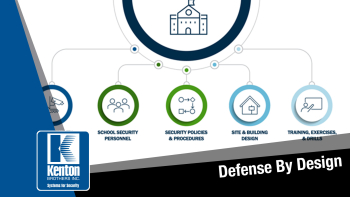
The Importance of Security Policies and Procedures in Physical and Electronic Commercial Security SystemsOrganizations today face a wide range of threats—from theft and workplace violence to unauthorized access and cyber-physical attacks. In response, many invest in electronic security systems like access control, video surveillance, and intrusion detection. While these systems are critical, technology alone doesn’t create security.

Effective security requires a foundation of well-developed and consistently implemented policies and procedures. These documents ensure that systems are used properly, responsibilities are clear, and responses to incidents are fast, coordinated, and effective. This paper outlines why formalizing your security operations matters, how it directly impacts both electronic and physical security, and why cross-departmental input is essential.

Why Policies and Procedures Matter

Security policies define expectations. Procedures explain how those expectations are carried out. Together, they provide the structure and consistency that technology and personnel rely on to function effectively.

Without them:

  • Access rights are inconsistently assigned.
  • Cameras go unchecked.
  • Intrusion alarms are ignored or mishandled.
  • People are unclear about their roles during an incident.

With them:

  • Teams work from the same playbook.
  • Leadership has documentation to support enforcement and accountability.
  • Audits, investigations, and compliance checks become easier to manage.
  • Risk is reduced, and system ROI increases.

In short, policies and procedures are the operating system of your security program.

Applying Policy to Electronic Security Systems

Every piece of electronic security technology should have an accompanying set of procedures. Without clear documentation, even advanced systems are prone to misuse or failure.

Access Control:

  • Credential issuance and revocation protocols
  • Access level structuring (based on job function, location, etc.)
  • Temporary and contractor badge handling
  • Access audit review timelines and reporting responsibilities

Video Surveillance:

  • Camera placement policies (to avoid privacy violations)
  • Storage retention durations
  • Video export handling and chain of custody
  • Preventive maintenance schedules

Intrusion Detection:

  • Arming/disarming procedures
  • Alarm verification and dispatch protocols
  • Response documentation and escalation
  • Testing and performance logging

Too often, organizations install these systems and consider the job done. But without usage and response protocols, the systems are just expensive hardware with little operational value.

Extending Policy to Physical Security Measures

Policies also apply to physical security: fencing, bollards, gates, secure rooms, and other structural protections.

Examples include:

  • Perimeter inspection checklists
  • Lock and key control processes
  • Facility lockdown and shelter-in-place procedures
  • Evacuation plans integrated with intrusion or fire systems

In many cases, the intersection between electronic and physical security—like doors controlled by access control systems—requires even more careful coordination.

Stakeholder Collaboration: Essential, Not Optional

Developing policies in a vacuum leads to confusion, conflict, or noncompliance. Involving other departments ensures policies are realistic, enforceable, and aligned with larger business goals.

Who to involve:

  • IT – Ensures cybersecurity and network requirements are met.
  • HR – Connects personnel actions (e.g., termination) to security events.
  • Legal/Compliance – Helps ensure documentation aligns with regulatory standards.
  • Facilities – Coordinates physical access and maintenance.
  • Executives – Provide buy-in, funding, and top-down support.

Cross-functional development also improves adoption. People are more likely to follow procedures they helped shape.

Governance and Continuous Improvement

Security policies and procedures should evolve with the organization. Review cycles (at least annually or after a major incident or system upgrade) are critical.

Recommendations:

  • Assign ownership to a security governance team or designated lead.
  • Track metrics like response time, false alarms, and audit findings to guide updates.
  • Maintain version control and clearly communicate updates to all relevant staff.
  • Integrate training to ensure procedures aren’t just documented—they’re understood and followed.

Conclusion

Policies and procedures aren’t just a checkbox—they are the foundation of any effective security program. They give your systems direction, your team clarity, and your organization resilience. Whether you’re managing electronic systems, physical infrastructure, or both, documented policies create consistency, reduce liability, and ensure your investment in security delivers long-term value.

And just as important, the process of building these documents—especially in collaboration with other departments—creates alignment, builds awareness, and strengthens your overall security culture.

Do you need help with your security policies and procedures? Give us a call.