The Spooktacular Truth About Batman Tech: What’s Real and What’s Just Hollywood Magic

The Spooktacular Truth About Batman TechBy David Strickland, COO of Kenton Brothers

Every October, when I wander through Sam’s Club or Target, I can’t help but grin. The candy aisles are overflowing, kids are running around in superhero capes, and somewhere between the Reese’s and the fog machines, there it is, the wall of Batman costumes.

Halloween night brings out dozens of little caped crusaders tugging on plastic cowls while parents smile behind their phones. That sight always makes me think the same thing:

“You know, some of Batman’s gadgets aren’t that far-fetched anymore… and some are still pure Hollywood.”

After almost two decades in the physical security industry, I’ve watched the line between comic-book tech and real-world systems blur. At Kenton Brothers Systems for Security, we see it firsthand every day. Our team designs, installs, and maintains systems that once belonged in superhero movies.  From cameras that see in total darkness to command centers that unify hundreds of devices across cities and campuses.

So, this Halloween season, let’s have a little fun. Let’s pull back the cape and look at where Batman tech has actually become reality… and where the movies are still stretching the truth.

10 Ways Batman Tech Is Already Real (or Getting There Fast)

1) The Bat-Tracker — GPS and Asset Tracking

Batman slaps magnetic trackers on getaway cars.
We do that every day! GPS tracking for vehicles, shipments, and field teams is standard in modern security operations. At Kenton Brothers, we use similar tech to monitor service fleets, protect high-value assets, and keep clients connected in real time.

2) The Bat-Eye — Thermal and FLIR Imaging

Batman’s blue-and-orange heat vision looks cinematic, but it’s real.
FLIR (Forward-Looking Infrared) cameras detect heat signatures in total darkness, and we deploy them to safeguard perimeters, utility sites, and research facilities where visibility is critical.

3) The Batcave: Integrated Security Command Centers

The Spooktacular Truth About Batman TechBruce Wayne’s wall of glowing monitors?
That’s our world. Our clients — from schools to corporate campuses — rely on integrated video walls and command centers by Gallagher Command Center, Genetec Security Center and Milestone XProtect to manage doors, alarms, and live video from one sleek interface. (Think Batcave… without the guano.)

4) The Bat-Comm: Encrypted Communication

Batman and Alfred used secure lines.
We do too. Encrypted radios, secure VPNs, and cloud-based collaboration tools keep our field technicians, command centers, and clients linked safely and privately.

5) The Bat-Drones: Aerial Surveillance

Remember the Batwing?
Today’s drones give real security pros eyes in the sky. Kenton Brothers integrates thermal-equipped UAVs for facility inspections, large events, and tactical perimeter sweeps.

6) The Bat-Suit: Body Armor

Modern Kevlar and ceramic armor are life-saving innovations.
While Batman’s suit might be bulletproof and explosion-proof, ours are designed for real protection, flexibility, and mobility, used daily by law enforcement and special response teams we support.

7) The Bat-Cam Network: Citywide Surveillance

In The Dark Knight, Batman taps into every camera in Gotham.
That’s closer to reality than you might think. Cities like Chicago and London already run massive, integrated camera systems — and at Kenton Brothers, we’re helping build similar secure networks for private enterprises and municipalities.

8) The Utility Belt: Non-Lethal Defense Tools

Smoke bombs and knockout gas? Not quite — but OC spray, pepper gel, and tasers fill that role.
Today’s security professionals use advanced, non-lethal tools designed for safety and control — not chaos.

9) The Batmobile’s Sensors: Collision and Perimeter Detection

Batman’s car “feels” danger before it hits.
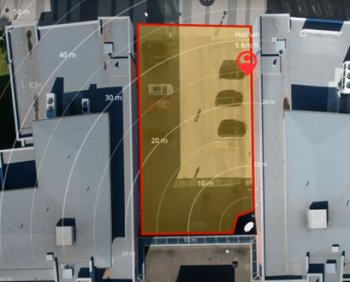
Our access control and intrusion systems do the same, using radar, LiDAR, and analytics to detect threats before they breach a perimeter.

10) The Bat-Computer : AI and Data Fusion

Batman’s computer could cross-reference clues in seconds.
At Kenton Brothers, we’re doing the same thing (minus the gravelly voice). Our AI-driven analytics combine access, video, and alarms into a single, intelligent platform that helps teams respond faster and smarter.

10 Batman Myths That Still Belong in Hollywood

  1. “Zoom and Enhance!”:  Sorry, CSI fans. A 240p image won’t become 4K with a few clicks.
  2. Instant Forensics: DNA and fingerprints take hours or days, not seconds.
  3. City-Wide Real-Time Face Tracking: Possible, but heavily limited by lighting, clarity, and privacy laws.
  4. EMP Weapons: Real in military labs, but they’d knock everything offline.
  5. Instant Hacking: Even with access, secure integrations take serious setup.
  6. Perfect Predictive Policing: AI highlights anomalies; humans interpret them.
  7. Grappling Hook Launchers: Cool, but still clunky and unsafe in real life.
  8. Indestructible Armor: Real armor stops bullets, not explosions.
  9. Unlimited Power: Every gadget needs power, backups, and maintenance — that’s why we design redundant systems.
  10. Lag-Free AI Control: We’re close, but physics and bandwidth still win some battles.

Why This Matters — and Why I Love This Season

Halloween reminds us of imagination — of believing we can become something extraordinary, even if just for a night. That’s what I see in every Batman costume on those shelves: the spark of wanting to protect, to lead, to make a difference.

At Kenton Brothers Systems for Security, that’s exactly what we do — every single day. We help protect schools, government buildings, healthcare facilities, and businesses with layered security systems designed to anticipate, detect, and respond. We don’t have capes, but we have conviction, technology, and a century of experience keeping people safe.

So this October, as you see those mini Batmen and Batwomen racing around your neighborhood,  smile. Because the Batcave isn’t fiction anymore. It’s being built all around us by the men and women of the modern security industry, one secure system at a time.

About Kenton Brothers Systems for Security

For over 125 years, Kenton Brothers Systems for Security has helped organizations protect what matters most. From access control and surveillance to integrated command centers and intrusion detection, our mission is simple:
Protect People, Property, and Possessions with Integrity and Innovation.

Because in the real world, you don’t need to be Batman to feel secure. You just need the right partner.

Disclaimer: Educational and Editorial Content

Batman and all related characters and elements are trademarks of and © DC Comics. This blog is not affiliated with, endorsed by, or sponsored by DC Comics, Warner Bros. Entertainment, or any of their parent companies.

This content is for educational and informational purposes only. Our blog uses popular culture, including fictional characters like Batman, to explore and discuss real-world topics related to the security industry and the public technologies available today. The views and analysis presented here are the opinions of the author and are intended for commentary and critique under the doctrine of fair use.

The Hidden Risks of Offsite Video Storage: What Schools and Enterprises Must Know

By David Strickland, COO of Kenton Brothers

The Hidden Risks of Offsite Video StorageLarge organizations—schools, universities, hospitals, and government facilities depend on surveillance to protect people, property, and critical operations. With hundreds or thousands of cameras running 24/7, the sheer volume of video data is enormous. To cope, many institutions turn to offsite third-party storage providers or cloud-based VMS platforms like Genetec, Milestone, or cloud-native solutions such as Verkada.

On the surface, it sounds simple: stream footage to the cloud, save space, and access video from anywhere. But the truth is, unless the system is engineered properly, organizations risk skipped frames, corrupted recordings, compliance failures, and even catastrophic evidence loss.

This guide breaks down the pitfalls and the critical technical considerations, from camera settings to network design to compliance, that must be addressed to keep surveillance video reliable and secure.

1) Camera Settings: The Hidden Multiplier on Your Network

The first choke point in your pipeline is the camera itself. The way cameras are configured has a massive impact on both the network and storage infrastructure.

Frames Per Second (FPS):
10–15 FPS is often sufficient for general monitoring. 30 FPS (or higher) may be required for forensic or evidentiary use but triples the bandwidth demand.

Resolution:
Standard 1080p produces a manageable data rate. 4K and above exponentially increase throughput, often 4–6x more per stream.

Compression (H.264 vs H.265):
H.265 significantly reduces bandwidth but requires more processing power at both the camera and server level.

Infrared/Night Vision:
Cameras that switch to IR mode at night often generate more noise and higher bitrates, increasing data load during nighttime recording, exactly when fewer IT staff are on hand to notice bottlenecks.

Forensic Capture Mode:
When enabled, forensic capture retains maximum detail for investigative playback. The tradeoff: higher bitrates, larger file sizes, and more stress on the uplink pipeline.

Analytics-Enabled Cameras:
Features like motion detection, license plate recognition, or facial analytics also increase data intensity because raw video plus metadata must be transmitted and stored.

Bottom line: Camera configuration is not just an image quality choice—it dictates the size of your network pipe and storage footprint.

2) The Network Pipeline: Purpose-Built for Video

With camera settings increasing demand, your network must be designed to handle peak throughput—not just average load.

  • Dedicated Video Network: Surveillance traffic must never share space with operations or academic IT networks. Either create a true physical air gap or, at minimum, a VLAN gap with strict firewall policies.
  • Uplink Sizing: Bandwidth must account for worst-case scenarios , like all forensic-mode cameras streaming simultaneously during an event.
  • Latency & Packet Loss: Dropped packets = lost evidence. Enterprise switches and routers should prioritize video with QoS and enforce jitter control.

3) Continuous Network Health Monitoring

Video networks must be proactively managed. A reactive “call when something breaks” model is not enough.

  • 24/7 Monitoring Tools: SNMP, NetFlow, or specialized VMS health dashboards should track bandwidth, packet loss, jitter, and CPU loads.
  • Automated Alerts: Threshold-based notifications should trigger when bitrates spike (e.g., IR cameras at night) or when uplink saturation nears 80%.
  • Redundant Circuits: Fiber cuts and ISP outages should not compromise your video evidence. Always design for failover and redundancy.
  • Specialized Services: Platforms like AI Argus and Viakoo are built specifically for video assurance.
    • AI Argus uses artificial intelligence to monitor not just network performance but also camera behavior, recording integrity, and retention compliance. It catches anomalies such as IR-mode bitrate spikes or forensic capture loads before they become problems.
    • Viakoo provides end-to-end monitoring and automated compliance reporting, ensuring every camera is recording properly and retention policies are met. It offers system health dashboards and root cause analysis tailored to large enterprise environments.

These tools move monitoring beyond IT basics, they guarantee your video evidence remains reliable and legally defensible.

4) Virtual Servers and Cloud Security

When footage moves offsite, the virtual environment storing and managing it must be hardened.

  • High Availability Clusters: Redundant hypervisors and automated failover keep VMS services online.
  • Encryption: All video must be protected in transit (TLS 1.2+) and at rest (AES-256).
  • Patch Cycles: Hypervisors, OS layers, and VMS software must follow a regular, documented update schedule.
  • Segmentation: Video servers must not touch production or academic workloads. Segregation is your firewall against cascading breaches.

5) Compliance and Retention

Schools and universities face legal frameworks like FERPA, HIPAA, CJIS, and state laws—all of which dictate how surveillance data must be retained and protected.

  • Retention Audits: Your storage provider must prove compliance with clear, auditable retention logs.
  • Immutable Storage: For legal or evidentiary needs, write-once/read-many storage ensures footage cannot be altered or deleted.
  • Chain of Custody: Documentation from camera to cloud must be verifiable for footage to be admissible in court.

6) Point-to-Point: Hardening the Entire Path

To trust your video evidence, each step of the pipeline must be engineered for reliability:

  1. Camera Settings – FPS, resolution, compression, IR modes, forensic capture tuned appropriately.
  2. Edge Switches – Managed with QoS to prioritize video, isolated VLANs.
  3. Core Network – Redundant switches/routers with firewall separation from IT systems.
  4. Uplink – Redundant circuits sized for peak video demand.
  5. Ingress to Third-Party Provider – Secured through private VPNs or direct fiber; never open internet.
  6. Virtual Server Layer – Redundant, encrypted, patched, segmented from other workloads.
  7. Cloud Storage – Multi-site replication, integrity checks, immutable retention options.
  8. Monitoring – Continuous health monitoring via AI Argus, Viakoo, and real-time IT dashboards.
  9. Audit Reporting – Quarterly or annual compliance checks to validate nothing is slipping through the cracks.

Why This Matters

The camera settings you choose directly influence the survival of your evidence. A 30 FPS forensic camera in infrared mode can generate 10x the data of a 10 FPS daytime camera,  crushing an undersized network or poorly configured cloud pipeline.

Without continuous monitoring, you may never know your system is failing until the moment you need that footage and it’s gone.

Enterprise video surveillance is no longer just “plug in cameras and hit record.” It’s a carefully engineered ecosystem that spans camera configuration, network infrastructure, cloud storage, compliance frameworks, and continuous monitoring.

Whether you’re using Genetec, Milestone, or cloud-native systems like Verkada, you must design with the camera-to-cloud lifecycle in mind: size your pipeline for worst-case demand, monitor continuously with tools like AI Argus and Viakoo, enforce network segmentation, and validate compliance regularly.

At Kenton Brothers Systems for Security, we specialize in building surveillance infrastructures that hold up under real-world pressure—because protecting people, property, and possessions depends on more than cameras. It depends on trusting that your video will be there when you need it most. If you need help making sure that is the case, give us a call.

Security Operations Center – Video Wall Upgrades

By Neal Bellamy, IT Director at Kenton Brothers

Security Operations Center - Video Wall UpgradesWhen you have a security operations center, a common component is a video wall. A video wall enables your officers to maintain situational awareness by displaying information from multiple systems simultaneously. Often, the video wall will evolve over time to become more and more helpful. Recently, we helped a customer take their video wall through their next evolution.

Video walls can be as simple as a PC with two screens, or can be monstrous walls with LCD tiles connected to make one seamless huge display with video wall drivers connected to dozens of PCs. Usually, there is a balance between flexibility and cost.

The History

Our customer’s current video wall setup was left over from their original analog video camera installation from the 90s. It started as a large security console for two officers. It was about 12 feet wide and 5 feet tall, and sat in the middle of the room. Originally, it had old-school CRT TVs mounted in the console, but over the years, the CRTs were replaced with LCD TVs. While the video wall served its purpose, there were several areas that were not ideal.

The screens faced the visitor window, which made it easy for visitors to see what was going on at the facility, but also made it hard for an officer to know when a visitor came in. There were multiple PCs running the various systems, each with its own keyboard and mouse. Finally, the replacement TVs were mounted wherever they fit, which left the TVs mounted at different depths, making the video wall less than seamless.

The facility wanted to go through a refresh of the entire room, and asked us to help with the video wall. Of course, we jumped at the chance. The shape and size of the room made the design a little challenging, but ultimately, we were able to help their video evolve to the next level.

The Update

Security Operations Center - Video Wall UpgradesThe new space faced the visitor window, which also turned the displays away from the visitors. Next, we chose the largest commercial displays that would fit into the space. Then we designed the rest of the displays around those. They had several displays that could be reused, which helped reduce the cost of the overall project.

We chose mounts that allowed for the displays to be tightly tiled, which created a more seamless experience. Finally, we installed a KVM (Keyboard Video Mouse) device that allowed for a single keyboard and mouse to drive all five PCs in the background. This helps the officers switch between systems without having to switch keyboards or mice.

Do you need help refreshing or updating your security operations center? Give us a call. We will help you get there.

VuWall: The Video Wall System That Actually Gets It Right

By David Strickland, COO of Kenton Brothers

VuWall: The Video Wall System That Actually Gets It RightAt Kenton Brothers Systems for Security, we’ve been in the game for over 127 years — and we’ve seen a lot of control room tech come and go. Some are clunky. Some are over-engineered. Some require a PhD and a team of engineers just to change a camera layout. Then there’s VuWall. This is the video wall management system that just works — secure, simple, scalable, and built for real-life, mission-critical security teams.

OK – So what is VuWall?

Keeping it simple: VuWall takes all your camera feeds, dashboards, maps, and data, and gives you one super-clean way to display, control, and route it across monitors, video walls, and control rooms — no matter how big or small your setup is. Their software platform, TRx, is like a universal remote for your entire AV and surveillance environment. Want a live traffic feed on the left screen, a full-site camera grid on the right, and a map in the middle? Done. Want to switch that all up in two seconds when a perimeter alarm goes off? No problem.

It’s built for real operators, not IT wizards.

Here is the Datasheet for the VuWall TRx Centralized Management Software.

Works Seamlessly with Milestone and Genetec

If you’re already running Milestone XProtect or Genetec Security Center (which many of our customers are), VuWall just plugs in and plays nice:

With Milestone:

  • Drag and drop camera feeds straight to your video wall.
  • Trigger pre-set layouts based on alarms.
  • All managed inside Milestone — no toggling between tools.

With Genetec:

  • Uses the native API for smooth, real-time integration.
  • Automates layout changes based on rules and alerts.
  • Makes your Genetec setup feel like it levels up overnight.

Bottom line: VuWall doesn’t disrupt your workflow — it turbocharges it.

Scales Up (or Down) With You

Starting with a 2×2 monitor array? Planning for a 20-screen video wall across multiple campuses? VuWall is built to handle it all — without ripping out hardware or starting from scratch.  Modular, AV-over-IP architecture. Add inputs, screens, or users as you grow. VuWall works with LED walls, LCDs, KVMs — whatever you’ve got. Whether you’re a single-site operation or managing a network of command centers, VuWall is future-proof and field-proven.

Security and Compliance — No Shortcuts Here

We’re not interested in “consumer-grade” workarounds. Our customers deal with real security, critical infrastructure, and compliance-heavy industries. So does VuWall.

SOC 2 Type II Compliant

  • Verified controls for data security, uptime, and confidentiality.
  • Trusted by agencies like NATO, NASA, and New York Transit — they don’t mess around with security.

Enterprise-Grade Cyber Hygiene

AES-128/256 encryption, active Directory and LDAP integration.  Role-based access control (RBAC) so the right people see the right data.  It checks every box your IT and compliance teams are going to throw at you — and that’s worth its weight in gold when you’re answering the CIO’s questions.

Stupid Simple to Use (Yes, Really)

We’ve all seen “powerful” systems that are borderline unusable. VuWall is the opposite. Drag-and-drop interface (your operators will thank you). Layout presets and scene recall — flip the whole wall with one click. Web-based control — manage from anywhere inside your secure network. Minimal training time. (Like, “get your team up and running this week” minimal.)

It’s made for humans — not coders.

Trusted by the Big Dogs

This isn’t some unproven startup with vaporware. VuWall is already deployed in NASA,  NATO, and NYC Transit.

And you don’t get into those places without being rock solid.

Why We Recommend VuWall

At Kenton Brothers, we don’t waste our time — or yours — with systems that can’t hold up in the real world. VuWall makes the cut because it checks every box:

  • It’s reliable.
  • It’s secure.
  • It integrates like a dream.
  • It grows with your needs.
  • And most importantly, it just works.

If your control room needs to move faster, get smarter, and run tighter — this is the solution.

Let’s Build a Smarter Command Center — Together

Whether you’re designing your first control room or upgrading an old one, VuWall is a force multiplier. It helps your operators make faster, better decisions — and helps you deliver more value with fewer headaches. We’ll walk you through a real demo and show you how VuWall can transform your operation. Let’s talk.

Common Commercial Security Server Issues

By Neal Bellamy, IT Director at Kenton Brothers

Common Commercial Security Server IssuesAlthough cloud-based systems are getting more popular, many security systems still have on-premise servers at their heart. Servers, like all electronics, can fail and will need to be replaced. Servers also need updating in many ways. Sometimes they can show signs of issues overnight, and sometimes more slowly over time. The overnight issues are easier to detect, but the slower failures can be harder to detect, so I thought I would share some things to look out for.

Video servers tend to be the most sensitive to component failure or being overloaded.

Video servers have the toughest job of all the security servers. They need to be able to connect to the cameras, pull the video stream off the network, process the video, and then possibly write it to a hard drive in near real-time. If any one of those processes struggles, the video may not be saved properly. At the same time, if cameras are being viewed, they need to be able to send the video to whoever is viewing them.

A sign that your video server needs help is when your video is “Jumpy”. Jumpy video is when the video appears to be choppy and does not play smoothly. Most video systems are recording at least 12 frames per second, so live and recorded video should appear to be smooth. It might not be as smooth as a movie or video game, but it should not have a very detectable jump between frames. Jumpiness is usually caused by an overwhelmed server, or some component, like a hard drive, has failed.

Another common issue is when logging into the security software becomes slower than usual. “Usual” depends on which software is being used, but it should be as fast as the day it was installed. Servers that turn themselves off or reboot themselves often, more than once a month, are also signs that they need help. If you sometimes can’t log in, but then can after waiting a while, the server might have just rebooted.

Sometimes it’s not because of a failure that your server needs attention, sometimes it’s just time.

Common Commercial Security Server IssuesServer software, like all software, can have security or feature updates. Server software like Windows, Linux, MAC OS, etc., needs to be maintained to have the latest features and security patches. Depending on the settings, security patches will download and install themselves, but if you’re not sure, you should check with your IT team.

All server software at some point will become obsolete and no longer be supported. At that point, you should at least have someone update your server to the latest version possible, or maybe even replace the server altogether.

There are some important Microsoft Windows end-of-support dates coming up this year. Windows 10, which has been around since 2015 will no longer be supported or have security patches being released as of October 14th, this year. Windows Server 2019 mainstream support already ended last year, it will not receive any feature updates, but will still receive security updates until January 2029.

Finally, it is worth mentioning since we are talking about servers failing… It is critically important to make sure your IT team is properly handling backups for your servers. Many companies get into a rut of seeing “backup completed” every day after the nightly backup, but then never checking if those backups can actually be restored. Talk to your IT team about the last time they tried to restore an important server from backups. The answer may shock you. Because the answer might be “never.”

If you are experiencing any of these issues or would like Kenton Brothers to come investigate the health of your server, please give us a call.